In this postCollapse -Open +
The word "agent" has become a fog machine. It gets used for scheduled workflows, chatbots, browser tools, customer service copilots, prompt chains, and full systems that can choose tools and recover from errors.
That ambiguity is expensive. If a team calls every workflow an agent, it starts buying complexity it does not need. If it calls every agent a workflow, it underestimates the monitoring burden. The better question is simple: how much autonomy does the task actually require?
Most companies should start with boring automation. Then they should add model judgment only where the process needs it. Only a small set of workflows deserve full agentic behavior.

A fixed workflow follows known steps. An agent chooses a path, which means it also needs stronger monitoring.
The difference that matters
An automation follows a fixed path. A trigger starts the workflow, the workflow executes predefined steps, and exceptions follow predefined fallbacks.
An AI agent receives a goal, chooses steps, calls tools, interprets results, and may adjust its plan. Anthropic's guidance on building effective agents makes a useful distinction: simpler workflows are often better when the path is predictable, while agents make sense when the process needs flexible decision-making.
OpenAI's Agents SDK documentation points in the same direction from an implementation angle: once tools, handoffs, guardrails, and tracing enter the system, you are managing an application, not just a prompt.
That is the operational jump many teams miss.
Start with the least autonomous option
Autonomy is not a trophy. It is a cost center. More autonomy means more failure modes, more logs, more review, more security work, and more awkward edge cases.
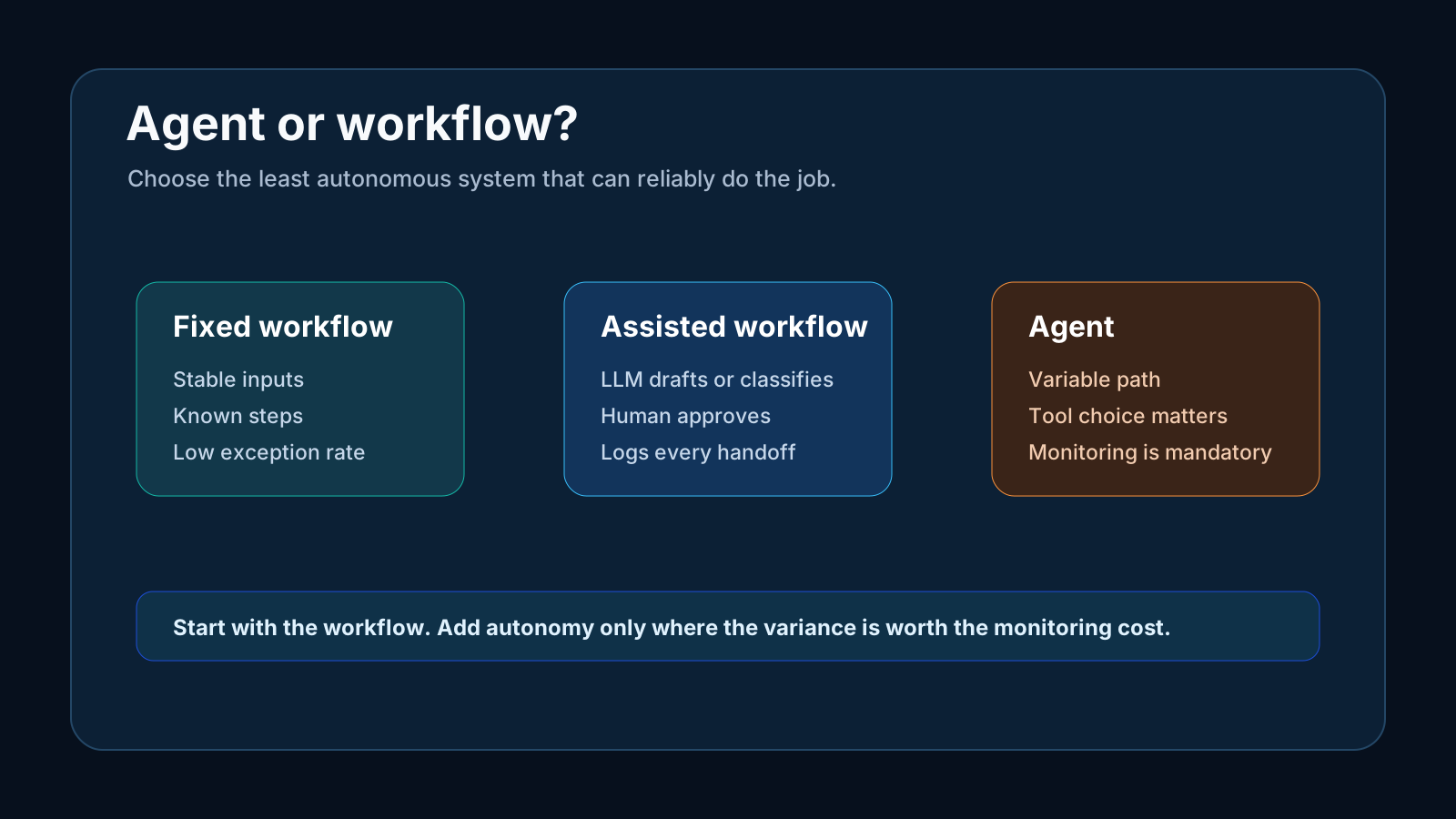
Use this decision rule:
| Task shape | Best fit | Why |
|---|---|---|
| Same inputs, same steps | Fixed workflow | Reliability beats flexibility |
| Same goal, some language variation | Assisted workflow | LLM drafts, classifies, or summarizes |
| Variable path and tool choice | Agent | Autonomy is worth the monitoring cost |
| High-risk output | Human-led workflow | Accountability matters more than speed |
If the team cannot explain the process as a set of states, it is not ready for an agent. It is ready for process cleanup.
Why pilots look good and production gets hard
Pilots usually run on curated examples. Production runs on messy reality: missing fields, stale permissions, changed APIs, edge-case customers, unusual requests, duplicated records, and teams that skip review because the first week looked fine.

Pilot quality often collapses when the system meets messy inputs, tool failures, and unclear owners.
This is why agents can feel magical in a demo and fragile in operations. The model may reason well, but the system around it still needs:
- Clean inputs.
- Tool permissions.
- Retry rules.
- Human escalation.
- Output evaluation.
- Cost controls.
- Version history.
- Security review.
Without those pieces, the agent is not production software. It is an impressive conversation with side effects.
The hidden math of multi-step reliability
Teams often underestimate compounded failure. A workflow with one step can be very reliable. A workflow with twenty dependent steps can fail even if every individual step looks strong.
If each step is 95 percent reliable, the chance of all twenty steps succeeding is about 36 percent. That does not mean every workflow fails. It means long, dependent chains need checkpoints, retries, and human review.
This is especially important for marketing operations. A failed internal summary is annoying. A failed compliance review, customer message, or billing update can create real damage.
Where LLMs belong inside normal automation
The sweet spot for many teams is not a fully autonomous agent. It is a normal workflow with a model inserted at the specific point where language judgment helps.
Examples:
- Classify inbound leads before routing them.
- Summarize customer calls for human review.
- Draft first-pass content briefs from approved source material.
- Extract fields from messy submissions.
- Flag risky claims before compliance review.
- Rewrite internal reports into executive summaries.
In each case, the workflow path is mostly fixed. The model handles a bounded judgment task. A person or rule still owns the outcome.
That is less flashy than an agent, but it ships faster and breaks less.
Cost is not only model spend
The cheapest agent is rarely cheap once it touches real systems.

The direct model bill is only one part of agent cost. Maintenance, monitoring, and ownership usually dominate.
A practical cost model includes:
| Cost bucket | What it includes |
|---|---|
| Build | Workflow design, integrations, prompts, tests |
| Model use | Tokens, retrieval, embeddings, evaluation |
| Tools | Automation platforms, databases, monitoring |
| Review | Human approvals and exception handling |
| Maintenance | API changes, prompt updates, data drift |
| Risk | Errors, rework, customer impact, compliance review |
If a workflow saves ten hours a month but needs five hours of monitoring and three hours of repair, the business case is thin. If it saves fifty hours and produces clean exception logs, it may be worth expanding.
Monitoring is the production line
The most mature AI teams do not ask, "Did the workflow run?" They ask, "Did the workflow do the right thing, and can we see when it stopped doing the right thing?"
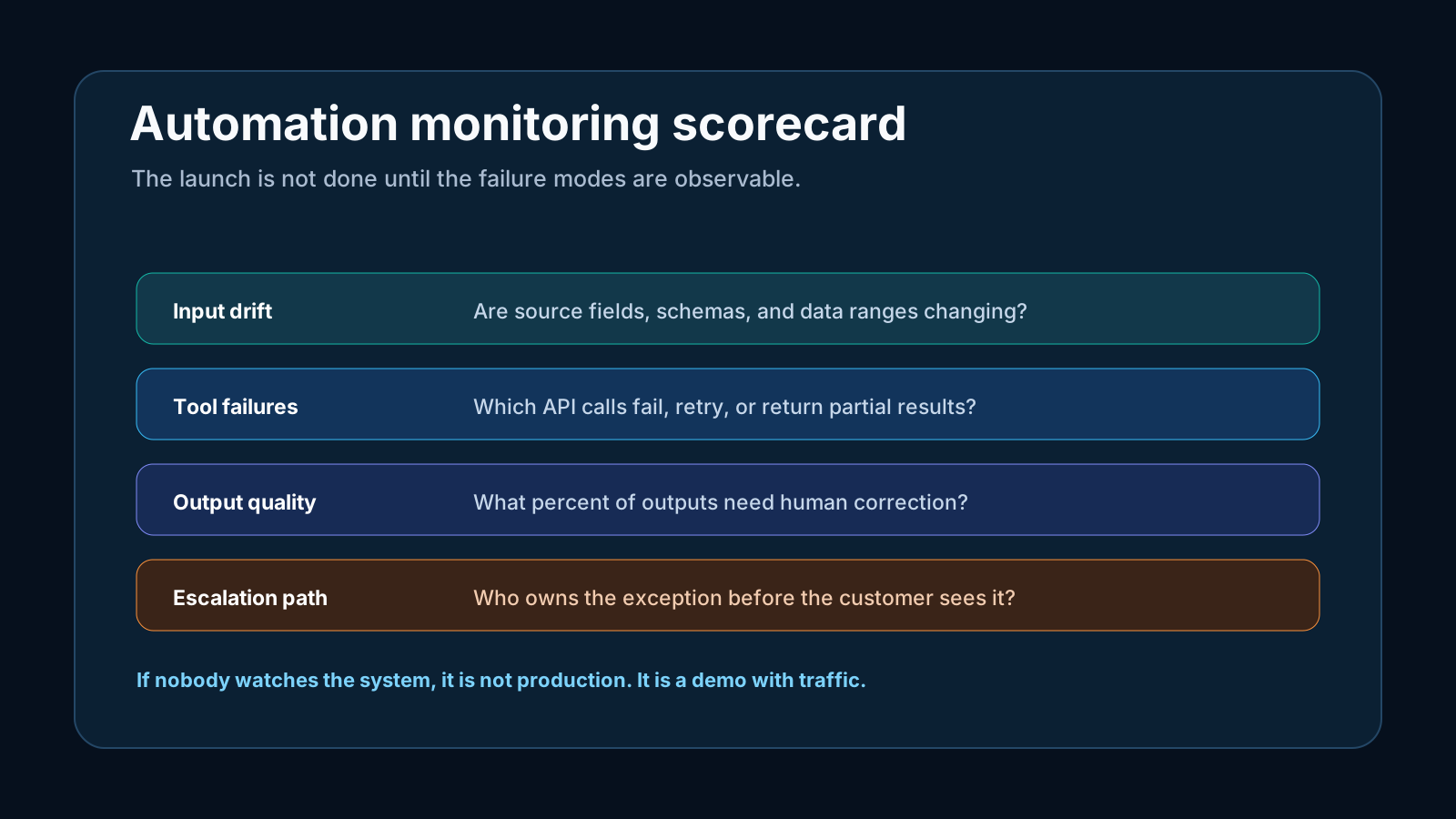
The minimum monitoring layer should track:
- 1Input changes, including missing fields and new formats.
- 2Tool failures, including retries and partial responses.
- 3Output quality, including human edits and rejection rates.
- 4Cost spikes by workflow.
- 5Escalation speed when the system is uncertain.
This is where AI automation connects with agentic AI marketing measurement and AI content measurement. The workflow is only valuable if the team can see whether it is improving the work.
The procurement test
Before buying or building an agent, run a procurement test that is brutally practical.
Ask the vendor or internal team to show one complete trace from input to output. The trace should show what the system received, what tools it considered, what tools it used, what data came back, what it ignored, what it produced, and where a human could intervene. If the demo cannot show that path, the buyer should assume debugging will be painful.
Then ask who owns five failure cases:
| Failure case | Owner needed |
|---|---|
| The API returns partial data | Technical owner |
| The model invents a field | Workflow owner |
| The output violates policy | Compliance or brand owner |
| The cost doubles overnight | Operations owner |
| The customer receives the wrong response | Business owner |
This ownership map is often more revealing than the feature list. A vendor can show a beautiful interface and still leave the buyer with no clear answer for exceptions. Production value depends on what happens when the system is confused.
The teams that scale AI automation well do not buy autonomy first. They buy observability, control, and a clear place for human judgment.
A simple rollout sequence
Do not start with a department-wide agent. Start with a narrow workflow where the cost of a wrong answer is low and the input is clean.
- 1Map the process manually.
- 2Remove steps that do not need to exist.
- 3Automate the deterministic steps.
- 4Add an LLM to one bounded judgment point.
- 5Add human review.
- 6Measure corrections and exceptions.
- 7Expand only after the system is stable.
This sequence may feel conservative, but it protects momentum. Teams lose confidence when an overbuilt agent fails in public. They build confidence when a useful workflow works every week.
When a true agent makes sense
True agents are useful when the task has a goal, not a fixed path. Examples include complex research, multi-system troubleshooting, procurement comparison, or operational analysis where the system must decide which sources and tools to inspect.
Even then, the agent should have constraints:
- Limited tool permissions.
- Clear stop conditions.
- Traceable steps.
- Budget limits.
- Human approval before external actions.
- Evaluation against known examples.
The agent should not be allowed to improvise across the business just because it can.
FAQ
Automation follows predefined steps. An AI agent can choose tools and steps to pursue a goal. That flexibility creates more monitoring and governance work.
Usually not first. Most small teams get more value from fixed workflows with LLM help at specific points, such as classification, drafting, extraction, and summarization.
They meet messy inputs, changed APIs, unclear owners, unmonitored outputs, and higher edge-case volume than the pilot tested.
Monitor input drift, tool failures, output quality, cost spikes, escalation volume, and human correction rates.
An agent is worth considering when the task has variable paths, tool choice matters, and the value of autonomy is higher than the cost of monitoring it.